EXAMPLE PROMPT
“Make a sink and gas stove about 4 meters wide in cocomodel format.”
Furniture that fits your room.
Describe the size and shape you need.
YOUR ROOM, ONE LINK.
Furniture, creations, and interactive surprises.
Invite anyone into your room straight from their browser.
Opens a sample ROOM. Free, with no installation required.
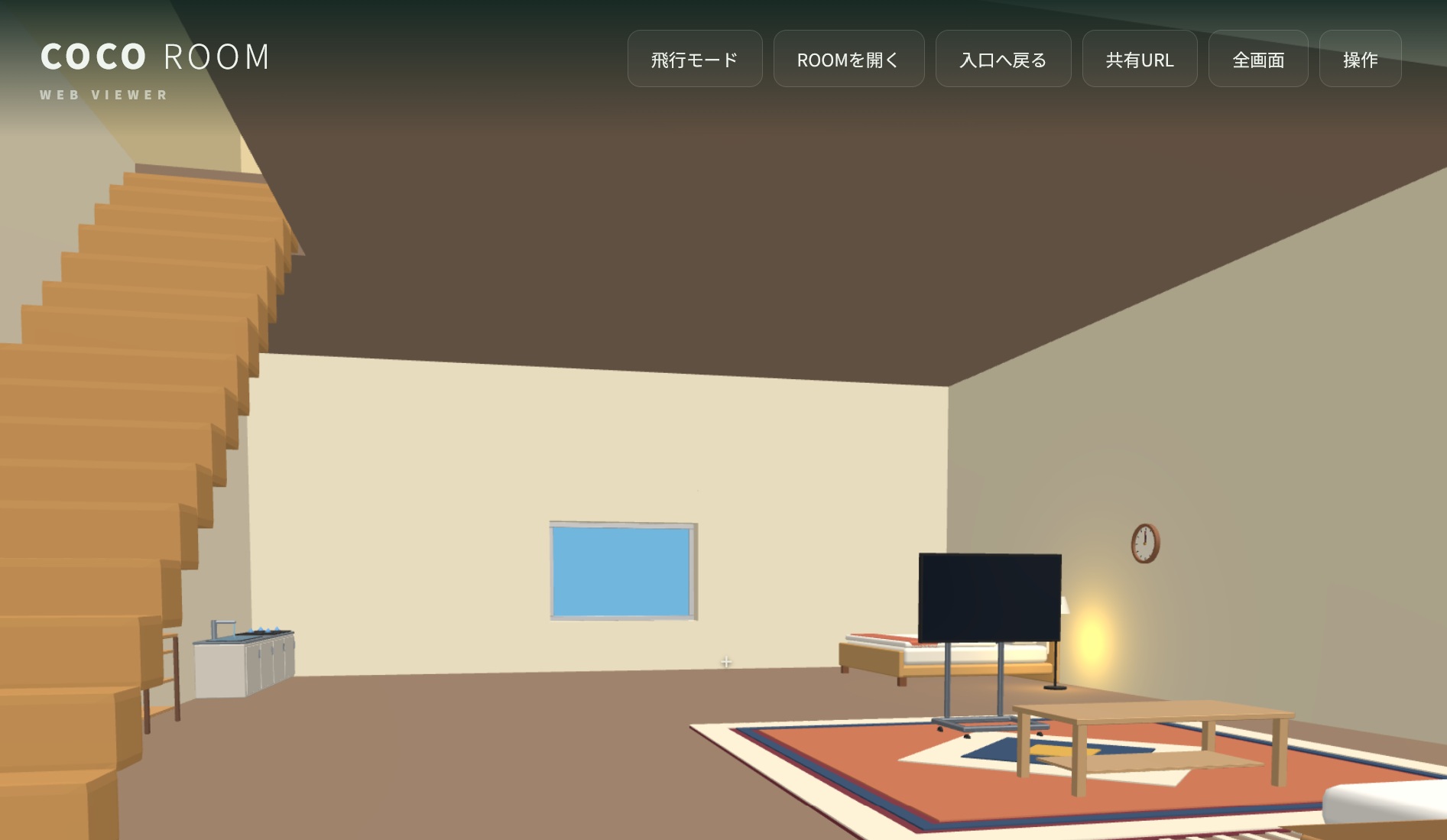
ABOUT COCO ROOM
COCO ROOM lets you publish and share 3D rooms filled with furniture, creations, and interactive features.
Visitors only need your share URL. They can enter a published ROOM in their browser without installing a dedicated app.
WALK INTO A ROOM
Open doors. Turn on lights. Ride a lift.
Things that respond to taps and touch bring each room to life.
MAKE IT YOURS
Fill a ROOM with 3D creations and interactive features.
COCO CHARA is one tool for making ROOMs and the works inside them.

 Have fun creating together
Set the room size and floors. Place furniture, your own models, doors, and windows. Change the colors of the floor, walls, and ceiling.
Ask for a 3D object in cocomodel format, then import it into
COCO CHARA and place it in your ROOM.
“Make a sink and gas stove about 4 meters wide in cocomodel format.”
Describe the size and shape you need.
“Make a character in orange clothes in cocomodel format.”
This example includes a walking animation.
COCO CHARA multiplayer lets you build both rooms
and the creations inside them together.
Multiplayer requires Google sign-in.
Ready to start building? Windows and Android / Free
Visit the COCO CHARA website ↗CREATE. SAVE. SHARE.
Keep your ROOM file in your Google Drive or on your web server.
The ROOM file itself does not need to be stored on COCO ROOM.
Arrange furniture and creations in a compatible creation tool, then save a .cocoroom file.
If you use Google Drive, allow anyone with the link to view and download it.
Use COCO ROOM to create a share link. Send it to friends so they can visit in a browser.
ROOM GALLERY
Introduce your creation on this official website.
Add its share URL, title, creator name, description, and screenshot.
GOOD TO KNOW
Common questions before you begin.
COCO ROOM and COCO CHARA are free to use.
No. They can open a published ROOM's share URL in a web browser.
COCO CHARA for Windows and Android currently includes ROOM creation tools. The COCO ROOM app and Web Viewer let people visit compatible ROOMs.
Yes. If the host has started a multiplayer invitation in the COCO ROOM app (Windows or Android), you can join as a guest from a web browser using the invitation link or QR code, then walk around and chat. Google sign-in is required. Because the browser connects directly to the host, it may not work on some networks, such as company or school networks. In that case, join from the app. A direct connection can also reveal each side's IP address to the other, so send invitations only to people you trust. See the Privacy Policy for details.
Yes. Open a ROOM in the viewer and press “Host this ROOM” to get an invitation link and QR code. People you invite can join from the COCO ROOM app or from a web browser (Google sign-in is required). Keep the tab open while you host: closing or reloading it, switching to another tab, or the screen turning off can disconnect guests or freeze what they see. A host learns every guest's IP address, so send invitations only to people you trust. See the Privacy Policy for details.
It is a standing meeting place for your regular friends. When you create a group, you get an invitation QR code and URL that always work. Scan it: if someone has already opened the room you join as a guest, and if nobody is there you become the first host and open the group's first ROOM. All members are equal, and any member can invite. If the host leaves, participants are asked in the order they came in whether they will take over as host, so the group can carry on instead of breaking up. Use it from “ROOM groups” in the menu, in the app or in a web browser (Google sign-in is required). A host learns every guest's IP address. Show the QR code or URL only to people you trust (the settings can require a member's approval). See the Privacy Policy for details.
Not to visit a ROOM. Google sign-in is needed for COCO ROOM multiplayer (app and web browser), for COCO CHARA multiplayer, and to post or manage a ROOM introduction on this site.
Posts submitted on this site store a share URL and ROOM details. For ROOMs published from COCO CHARA, COCO CHARA stores the ROOM file and screenshot.
A ROOM IS WAITING FOR YOU.
Opens in your browser. No installation required.